K.O.R.E. on Steam Deck: browser and installer paths
You can start by trying K.O.R.E.’s browser game on Steam Deck. PlayKORE also has a separate installer workflow; check the current manifest, package type and controller setup before choosing that route.
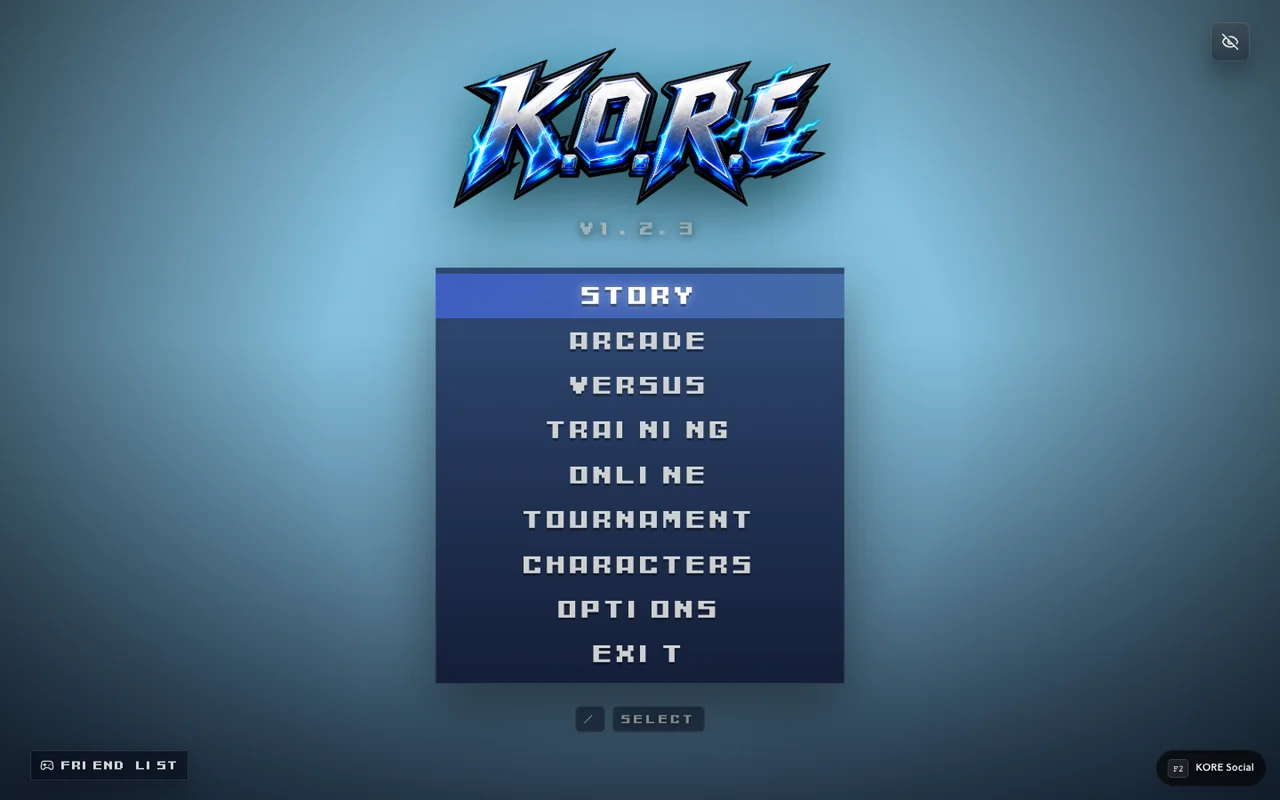
Browser play is the simplest first check
Open K.O.R.E. in the browser and confirm that the startup and menu respond to your controller. This establishes a basic launch path before you change how the game is installed or added to a launcher.
A browser session and a packaged desktop build are different environments. Their assets, storage and launch behavior should be checked independently. Successfully opening one is not a guarantee that the other has identical progress or settings.
Check the current package listing
PlayKORE exposes an installer manifest, and the inspected source includes Steam Deck Flatpak packaging helpers. Use the current listing rather than an old guessed filename. Package availability can change, so verify the advertised artifact before following a desktop-installation path.
This guide intentionally does not invent a package name, command sequence or claim that every listed artifact was newly installed on physical hardware. It records the distinction and the inspected packaging source; a complete hands-on device test is a separate verification task.
Controller checks before a longer session
- Give the game focus and pass the initial prompt.
- Confirm menu navigation, confirm/back and pause.
- Inspect the selected control scheme and bindings.
- Try one fighter in Training before starting an online session.
- Check readable text and usable layout in your chosen launch mode.
Printed controller labels and browser-standard physical button indices can differ. Follow the displayed prompts and your configuration rather than copying desktop keyboard shortcuts onto the handheld layout.
Storage and launch expectations
Treat a change of browser profile or desktop package as a possible storage boundary. Do not delete an existing installation or clear site data merely because a new launch method seems to have empty progress. Confirm what was saved, where it was saved and whether the game explicitly supports a transfer or synchronization path.
Likewise, adding a shortcut to a launcher does not convert the game's underlying compatibility. A MUGEN-style browser fighter remains K.O.R.E.'s independent runtime, with its own content and controls.
Evaluate actual play
A menu is a useful startup check, but performance should also be observed in a loaded fight. Record the launch method, graphics choices and mode when comparing results. Avoid turning one successful startup into a universal handheld-performance claim.
Use controls for default inputs and Training for a repeatable first session. Faunara is a separate full game: this installer discussion does not establish that it ships in the same desktop package.
Sources & verification
View the research record
Coverage: Named source passages inspected; practical routines are original advice. Production entry and selected source comparisons are recorded separately. No whole-roster, full-campaign, physical-device or universal network certification.
First-party facts: Named runtime/source passages and the selected live entry checks recorded here. Original additions: Explanations, comparison framing and practice routines. Gaps: No full-campaign, whole-roster, universal device or network certification. Development tooling is distinct from public capabilities.
Source review: October 20, 2026. Public claims remain bounded by the scope of each source.
- kore steamdeck
Inspected packaging helper and current public installer manifest; no new physical Steam Deck test claimed.
Inspected named local source passages and public response; bounded coverage below.
Inspected source fingerprint:
682be92a543d681f804d9863fce3261d22f6c8cfebc0906b848b081743b1b4bf. Public response fingerprint:130e0426c2dc40bf3acc2c21c6a5b29d734f0991bef6ebf52763541c85104f22. Local source and public response differ or are different representations; no complete build equivalence is claimed.- kore app
Inspected menu, mode and importer source. Character import and MUGEN stage import POST to /__kore/dev/ endpoints. Source inspection is not a complete production compatibility test.
Inspected named local source passages and public response; bounded coverage below.
Inspected source fingerprint:
c91886ba1e3ebc951e3c3ef50356cfe64fb2718164bdccf7ea59d636960160ae. Public response fingerprint:38cc2f2a18a415a64a9cea8d0af2880043ff8c826d00f37d973b5f28e0f80d9d. Local source and public response differ or are different representations; no complete build equivalence is claimed.- kore controls
Default P1 WASD, U/I/J/K, Space, O, Enter, Escape. Saved settings override defaults.
Inspected named local source passages and public response; bounded coverage below.
Inspected source fingerprint:
a43e1af0089e4842e93e70366e9bacf900676cca35043247914f50f198224d7f. Public response fingerprint:38cc2f2a18a415a64a9cea8d0af2880043ff8c826d00f37d973b5f28e0f80d9d. Local source and public response differ or are different representations; no complete build equivalence is claimed.
Article fingerprint: 3f00ed4c5bff22e0928cff99a70e4090b8bd7eae61d3d364463acaba08b5f1e8.